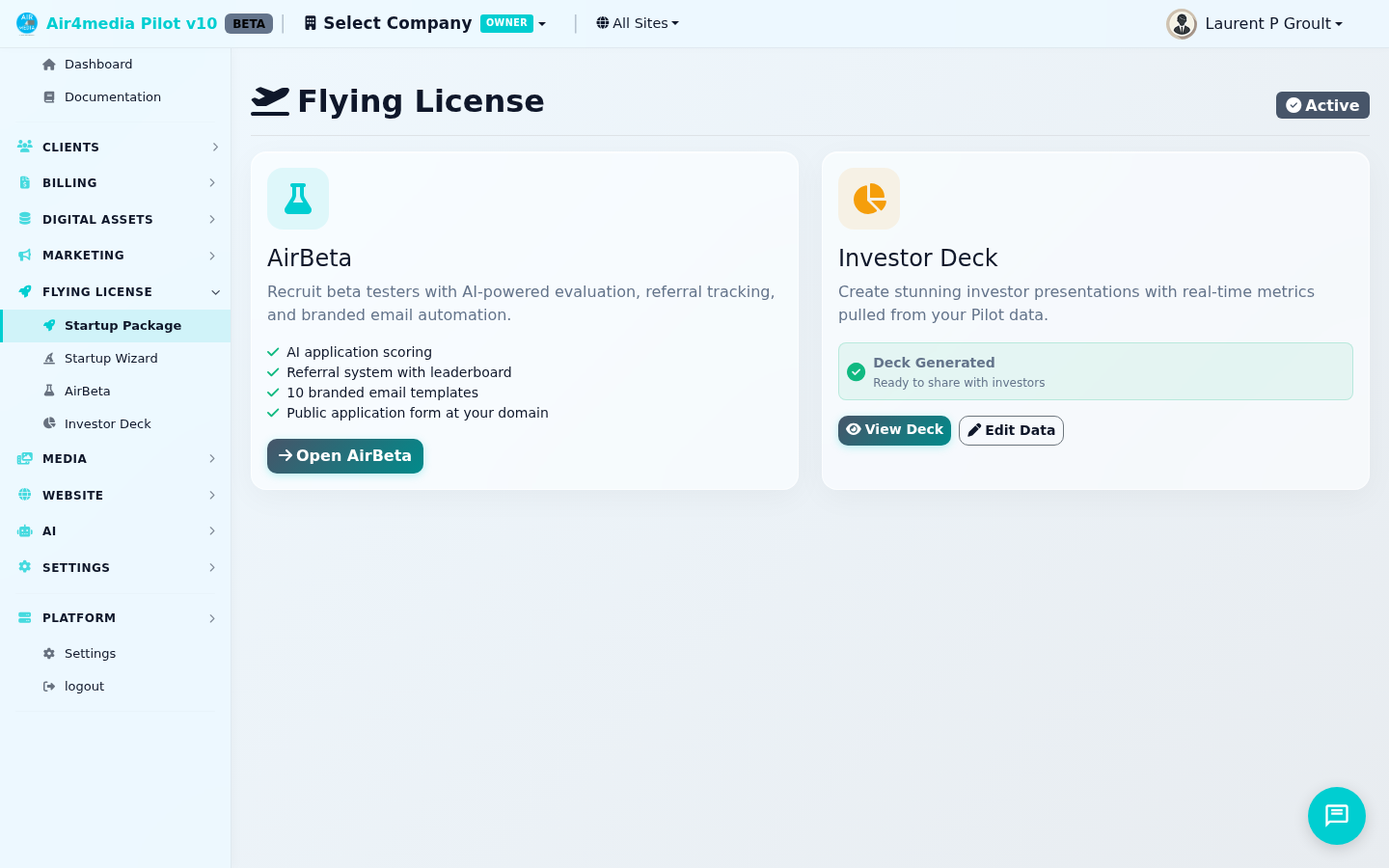
Flying License — Startup Package
The Flying License gives ACME Creative Agency access to a suite of startup-focused tools: an AI-powered investor deck builder, a beta tester recruitment program, a launch toolkit, and more — all from one dashboard.
Key Features
- Investor Deck: Build and manage multiple AI-generated investor presentations. Choose from 5 templates — Classic, Pitch Perfect, Data-Driven, Storyteller, or Startup Sprint — then generate polished slides from your startup profile and share private links with investors.
- 8-Step Wizard: Answer guided questions covering Business, Problem, Market, Product, Traction, Revenue, Team, and The Ask. Your progress saves automatically so you can return any time. A progress bar and step badges show exactly where you are.
- AirBeta: Recruit and manage beta testers with AI-powered application scoring, a referral leaderboard, and 10 branded email templates — all hosted at your domain.
- AirLaunch: Present your decks in full slideshow mode, track investor views via shared links, and export to PDF or PowerPoint.
- Startup Plan (Coming Soon): Business model canvas, milestone tracking, revenue projections, and team planning tools.
- Company-Scoped: All team members at ACME Creative Agency share the same startup profile and decks.
How to Use
Build Your Investor Deck
- Click Flying License in the sidebar.
- Click Start Wizard — or Continue Wizard if you've already begun.
- Work through all 8 steps. The dashboard shows a progress bar and highlights which steps are complete.
- Once all steps are done, click Generate Deck to let the AI assemble your presentation.
Manage Multiple Decks
- Your decks appear in the Investor Deck card on the dashboard.
- Click a deck name to view it, or click the pen icon to edit its data or switch templates.
- Click + New Deck to create an additional deck — useful for tailoring different pitches to different audiences.
- To remove a deck, click the trash icon and confirm. This cannot be undone.
Share with Investors
- Open a deck from the dashboard.
- Enable sharing to generate a private link — investors can view the deck without logging in.
Open AirBeta or AirLaunch
- From the Flying License dashboard, click Open AirBeta or Open AirLaunch.
- Each tool opens its own dedicated section within Pilot.
Tips
- Complete all 8 wizard steps before generating so the AI has full context for a strong deck.
- Create separate decks for different audiences — for example, a Data-Driven deck for angels and a Storyteller deck for VCs.
- The star icon marks your primary deck — it always appears first in the list.
- Decks labeled Draft haven't been generated yet. Click them to return to the wizard and finish.
- All team members at ACME Creative Agency share the same profile, decks, and investor links.