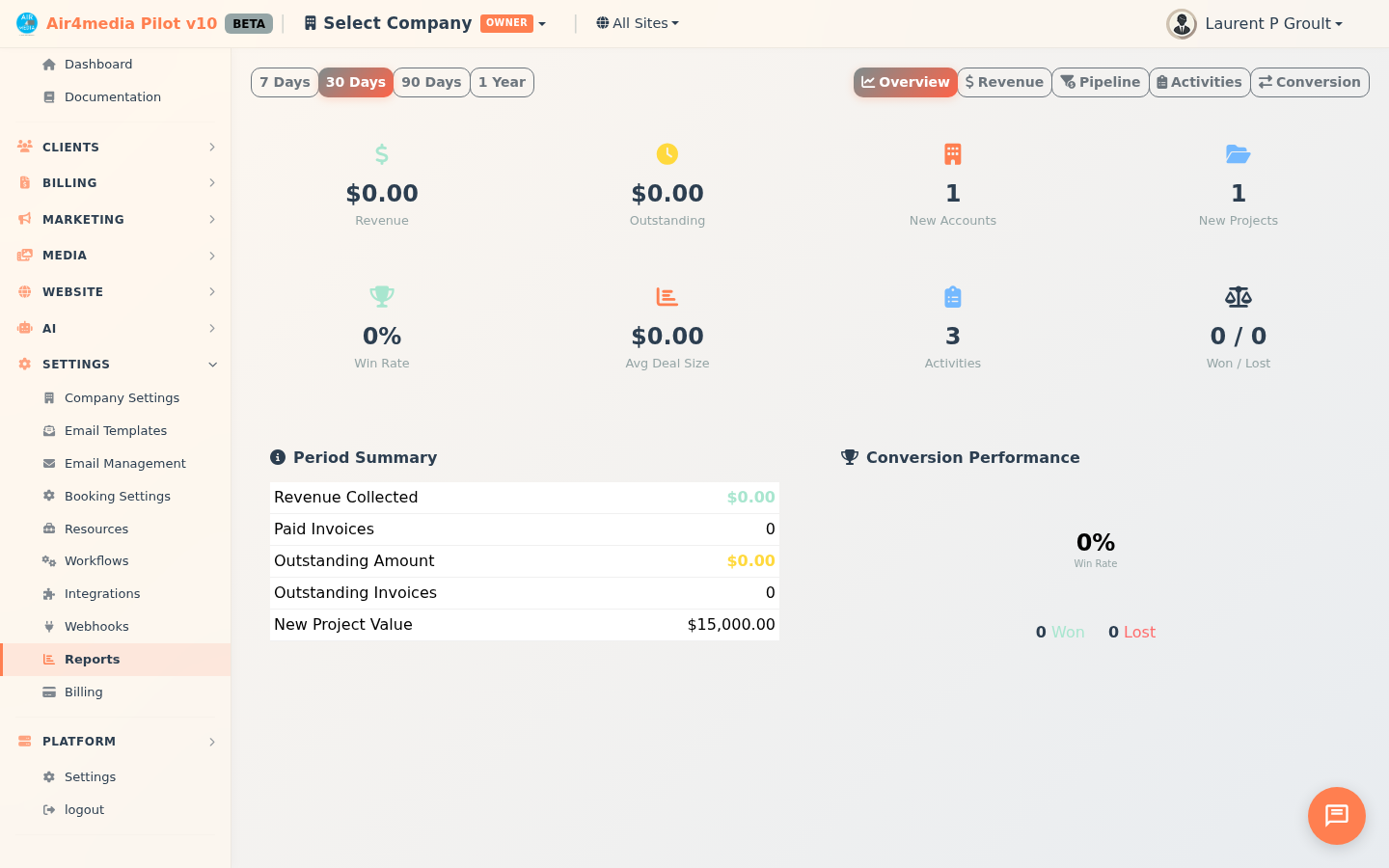
Reports
Get a clear view of your business performance with CRM analytics covering revenue, pipeline health, team activities, and sales conversion — all in one place.
Key Features
- Time Period Filter: Switch between 7 Days, 30 Days, 90 Days, or 1 Year to focus on the timeframe that matters (applies to Overview, Revenue, Activities, and Conversion tabs)
- Overview: Eight KPI cards at a glance — revenue collected, outstanding invoices, new accounts, new projects, win rate, average deal size, activities logged, and won/lost counts — plus a period summary table and a win rate circle showing your project outcome ratio
- Revenue: Monthly revenue bar chart with horizontal breakdowns by top 10 accounts and by project type
- Pipeline: A live snapshot of all active projects by stage (Proposed, Contracted, Planning, In Production, On Hold) and project type, an upcoming 90-day start timeline, and an aging table that flags stale proposals
- Activities: Daily activity bar chart, task completion rate, activity breakdown by type, and most-active accounts in the selected period
- Conversion: Quote funnel (Total → Accepted → Declined), contract signing rate, average days to close, and a 12-month conversion trend table
How to Use
- Open the Reports page from the sidebar
- Select a time period at the top — 7 Days, 30 Days, 90 Days, or 1 Year
- Click a report tab — Overview, Revenue, Pipeline, Activities, or Conversion — to switch views
- The page updates instantly when you change the period or tab
Tips
- Start with Overview for a quick health check — the win rate circle gives you an instant read on how many projects ended in a win vs. a loss
- The Pipeline tab is always a live view of your current active work; the time period filter does not apply here
- In the Pipeline aging table, any proposal or planning-stage project that hasn't moved in more than 30 days is flagged in red — your cue to follow up
- The Conversion trend table color-codes each month's quote acceptance rate: green (50%+), yellow (25–49%), or red (under 25%), so improving or declining close rates are easy to spot at a glance
- Use Activities to identify quiet periods and confirm that key accounts are getting consistent attention
- Revenue breakdowns by account and project type help you identify your most profitable client segments