Modules
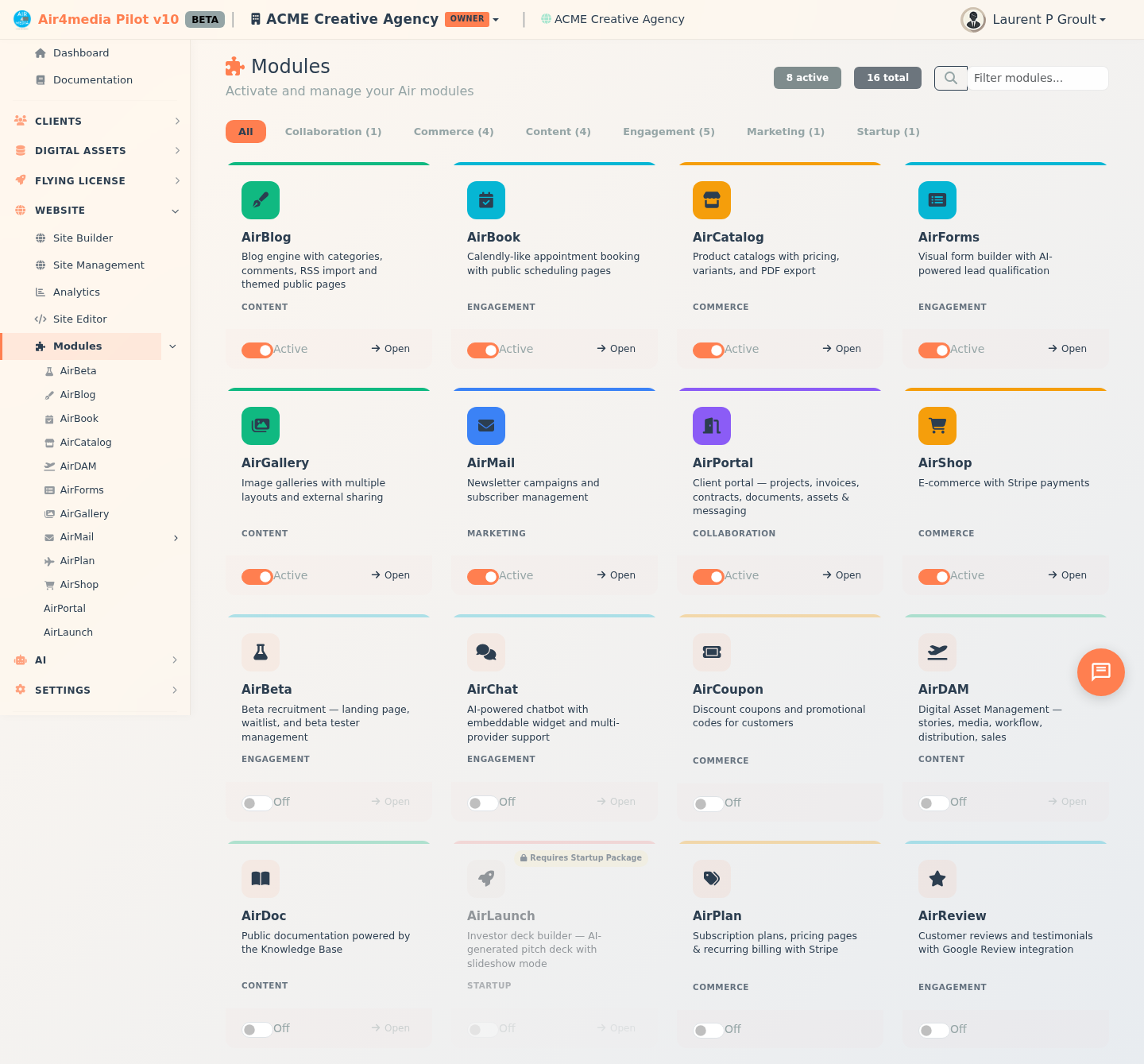
The Modules page is your central dashboard for activating and managing the Air tools available to your account. Turn features on or off instantly — no setup required, and your sidebar updates automatically to reflect what's active.
Key Features
- Module Grid: All available Air modules displayed as cards, each showing a name, description, category label, and a color-coded accent bar
- One-Click Activation: Toggle any module on or off using the switch at the bottom of each card — the page refreshes so your sidebar reflects the change immediately
- Live Stats: Active and total module counts shown as badges in the top-right corner
- Category Filters: Filter the grid by category — Content, Marketing, Engagement, Commerce, Collaboration, Startup, or Business — each showing how many modules it contains
- Search: Type in the search box to find a module by name or description
- Open Dashboard: When a module is active, click the Open link on its card to jump directly to that module's dashboard. The link is greyed out while the module is off
How to Use
- Open the Modules page from the sidebar
- Use the category buttons to filter by type, or type in the search box to find a module by name
- Click the toggle switch on any card to activate or deactivate it — the page reloads and your sidebar updates automatically
- Once a module is active, click Open on its card to go to its dashboard
Module Categories
- Content — Blog, gallery, and catalog tools
- Marketing — Email campaigns and outreach
- Engagement — Forms, chat, and audience interaction
- Commerce — Online store and booking features
- Collaboration — Document sharing and team tools
- Startup — Investor deck and launch tools
- Business — Planning and operations tools
Tips
- Active modules appear at the top of the grid so your enabled tools are always easy to find
- The active/total count badges in the top-right update automatically as you toggle modules
- Some modules require a specific subscription. AirLaunch requires the Startup Package — its card shows a lock badge and the toggle is disabled if your plan does not include it. If your plan does include it, the card shows a rocket badge instead
- Deactivating a module does not delete any of its data — you can reactivate it at any time
- Module activations apply at the site level, so changes affect your entire site