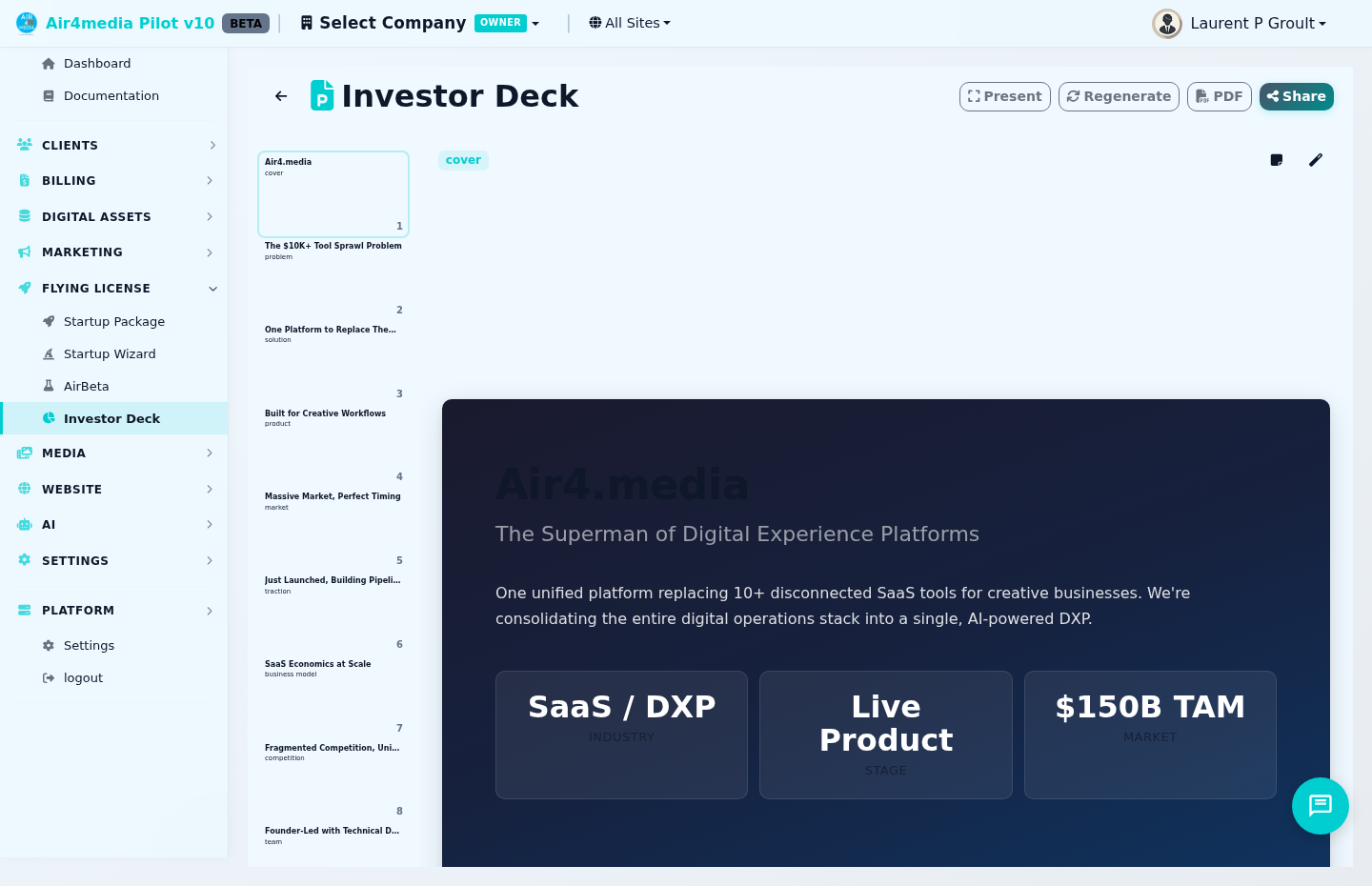
Investor Deck
An AI-powered pitch deck that builds a complete 12-slide investor presentation from your startup profile — editable, shareable, and ready to present live or export as a PDF.
Key Features
- Multiple Decks: Create and manage several decks side by side — one per audience, narrative, or funding stage. Switch between them using the deck selector dropdown at the top.
- 5 Deck Templates: Choose from Classic, Pitch Perfect, Data-Driven, Storyteller, or Startup Sprint when creating a deck. Each changes the layout and typography to suit your pitch style.
- 6 Color Themes: Pick a visual style — Modern Dark, Clean Light, Bold Gradient, Minimal, Corporate Navy, or Warm Sunset. Your brand colors apply automatically to charts.
- AI Generation: Click New Deck then Generate Deck to build all 12 slides from your startup profile — cover, problem, solution, market, traction, financials, and more. Costs 10 credits.
- Card Grid View: Your deck appears as a grid of slide thumbnails. Hover over any card to reveal edit and regenerate shortcuts, or click to open the full slide editor.
- Inline Editing: In the slide editor, click directly on any text to edit it. Changes save automatically.
- Per-Slide Regeneration: In the slide editor, click the magic wand icon to rewrite just that slide with AI. Costs 2 credits.
- Speaker Notes: Each slide has optional talking points. Toggle them using the notes icon in the slide editor — notes are editable inline.
- Presentation Mode: Click Present (or press F) to go fullscreen. Navigate with arrow keys. Press Escape to exit.
- PDF Export: Click PDF to download your complete deck as a formatted landscape PDF.
- Shareable Investor Link: Click Share to get a unique link anyone can view without logging in. Enable or disable it at any time.
How to Use
- Complete the Startup Wizard first — the deck is built from the data you enter there
- Click New Deck, choose a template and color theme, then click Generate Deck (10 credits)
- Your 12 slides appear as a card grid — click any card to open the slide editor
- In the editor, click any text to edit it directly — edits save automatically
- Use the Previous / Next buttons or your keyboard arrow keys to move between slides
- To rewrite a single slide with AI, click the magic wand icon in the editor toolbar (2 credits)
- Click PDF to export, or Present to launch fullscreen for a live pitch
Managing Multiple Decks
- Use the deck selector (top left) to switch between decks or create a new one
- Click the gear icon to Rename, Duplicate, Set as Primary, or Delete the current deck
- The primary deck is the one shared via your investor link
- Duplicate a deck before making major edits — deleting is permanent
Tips
- Keep your startup profile complete — richer data produces stronger AI-generated slides
- Set your brand colors in the Startup Wizard before generating — they apply to charts automatically
- Use Presentation Mode when pitching live; refine content in the card grid view beforehand
- Use the toggle in the Share modal to temporarily disable your investor link without deleting the deck