Analytics
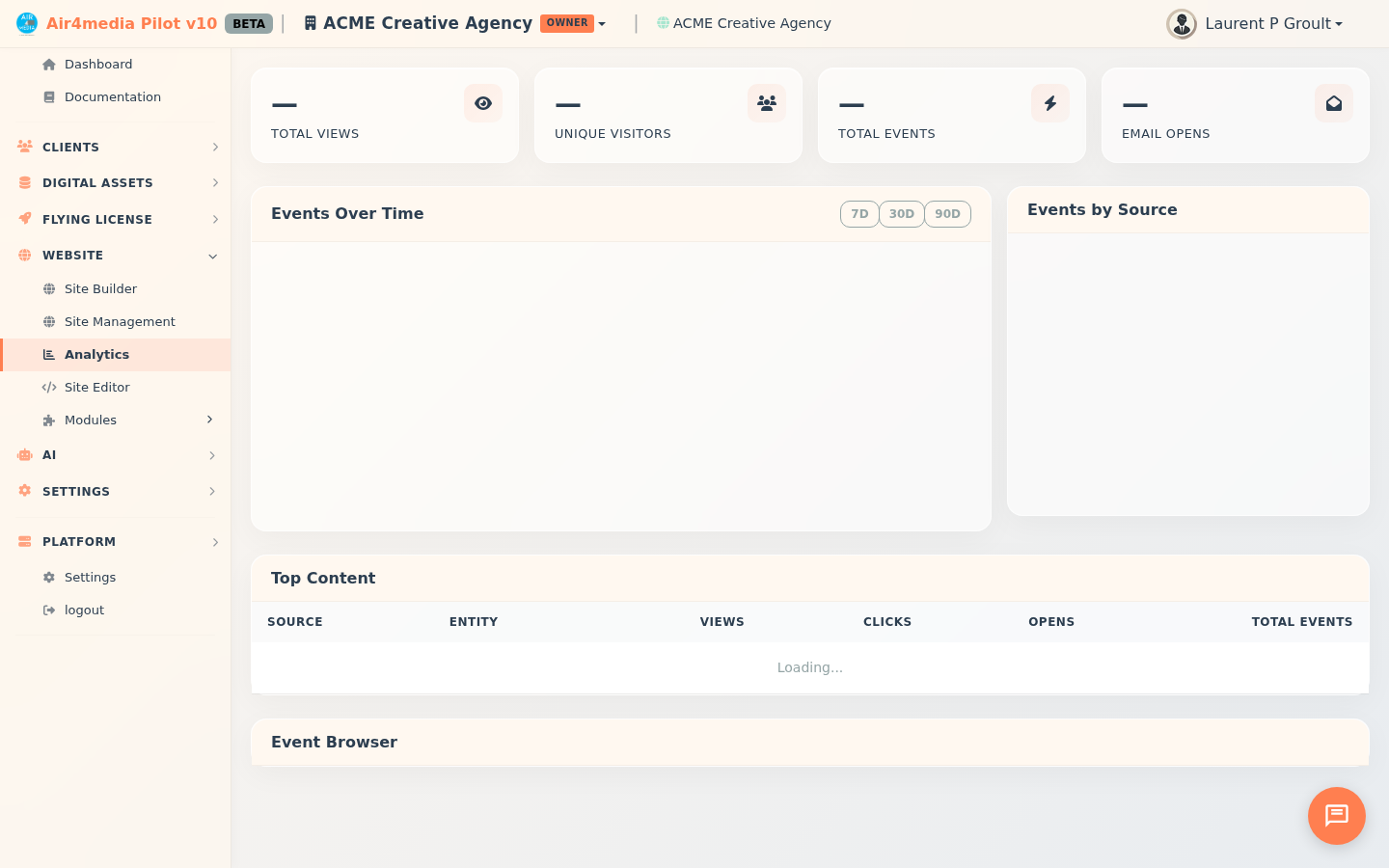
The Analytics page gives you a real-time view of how your audience is engaging across everything you publish — emails, blog posts, galleries, forms, and more. For ACME Creative Agency, this means one place to see how clients and prospects are interacting with your content.
Key Features
- Summary Cards: Four at-a-glance numbers at the top — Total Views, Unique Visitors, Total Events, and Email Opens — all calculated for your chosen time window.
- Events Over Time Chart: A line chart showing activity trends broken down by type (Page Views, Email Opens, Link Clicks, Scroll). Switch between 7-day, 30-day, and 90-day windows using the buttons in the chart header.
- Events by Source Chart: A donut chart showing which parts of the platform are driving the most activity — AirMail campaigns, AirBlog posts, AirGallery, AirForms, CRM emails, and more.
- Top Content Table: A ranked list of your most-viewed or most-engaged content, showing the source (e.g. AirMail, AirBlog), the item name, and a breakdown of views, link clicks, email opens, and total events.
- Event Browser: A searchable, paginated log of every tracked event — useful for investigating specific interactions or auditing activity over a period.
How to Use
- Open the Analytics page from the sidebar.
- The dashboard loads automatically showing the last 30 days of activity.
- To change the time range, click 7D, 30D, or 90D in the top-right of the "Events Over Time" chart — all cards and charts update together.
- Review the Top Content table to see which campaigns, posts, or emails are generating the most engagement. For example, ACME Creative Agency might see their latest AirMail campaign at the top with 240 opens and 58 link clicks.
- Scroll down to the Event Browser to drill into individual events — you can search, sort, and page through the full event log.
Tips
- The 7D view shows hourly granularity, making it easy to spot spikes right after sending a campaign.
- Source badges in the Top Content table are color-coded — blue for AirMail, green for AirBlog, teal for AirGallery — so you can scan quickly.
- Email Opens in the summary card counts opens tracked across all outgoing emails, not just campaigns — so CRM emails and invoice notifications are included too.
- The Event Browser is great for checking whether a specific contact opened an email or clicked a link on a particular day.