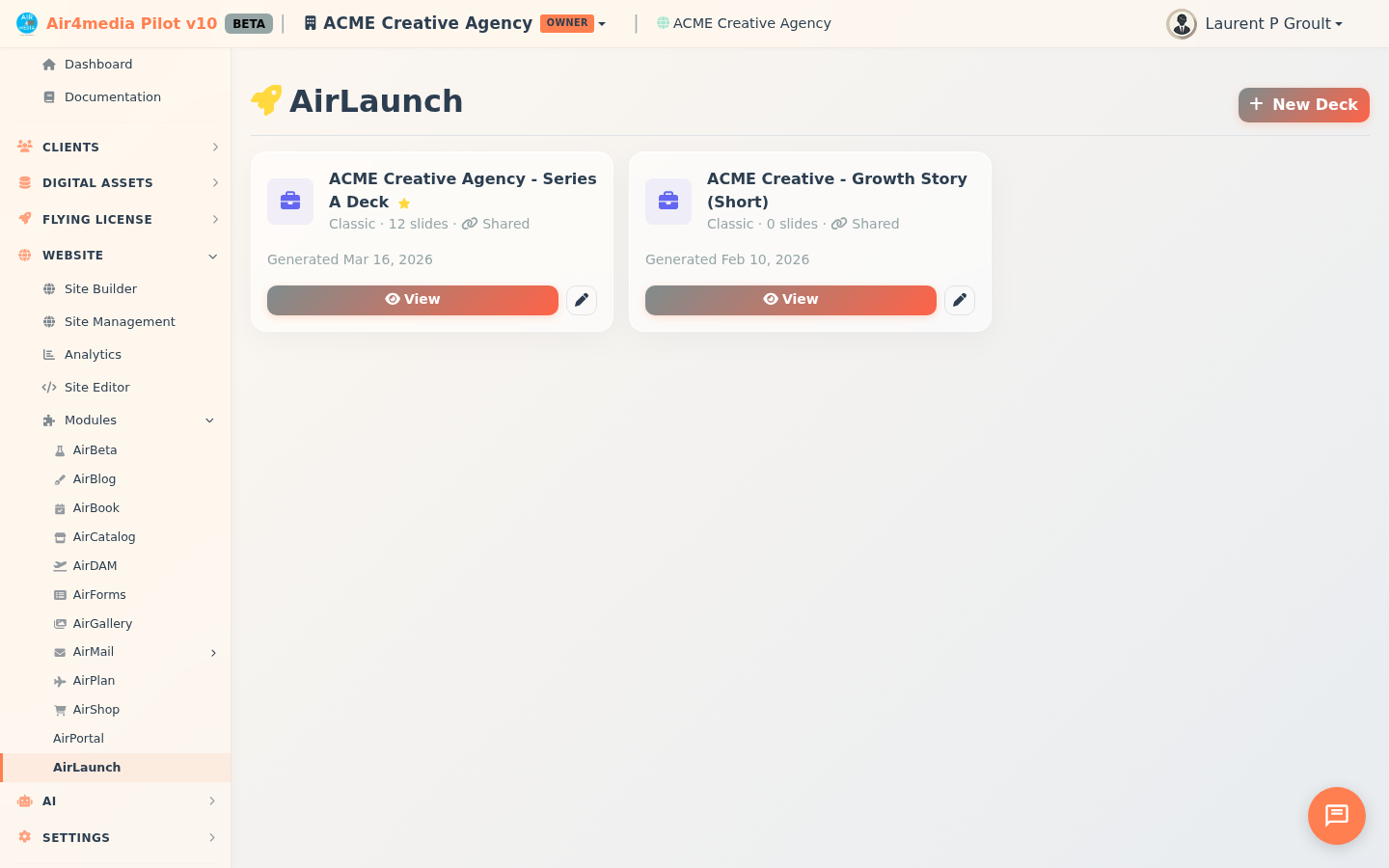
AirLaunch
AirLaunch creates AI-generated investor pitch decks for your company, pulling in live data from your Pilot account to produce professional, ready-to-share presentations.
Key Features
- Guided Wizard: An 8-step wizard walks you through your company story — overview, problem, solution, market size, traction, team, and financials
- 5 Deck Templates: Choose a style that fits your pitch — Classic, Pitch Perfect, Data-Driven, Storyteller, or Startup Sprint
- Multiple Decks: Create and manage several versions — for example, ACME Creative Agency could keep one deck for seed investors and another for strategic partners, each with its own content and template
- Primary Deck: Star one deck as your primary — it shows first in your list and on your public profile
- Shareable Link: Generate a trackable public link so investors can view your deck online — Pilot counts every view
- PDF Export: Download your deck as a PDF for email attachments or in-person meetings
- Slide Regeneration: Regenerate any individual slide for a different AI take — no need to rebuild the whole deck
- Draft Mode: Save your wizard progress and pick up where you left off
- Deck Management: Rename, duplicate, or delete any deck from the dashboard
How to Use
- Go to AirLaunch from the sidebar
- Click Start Wizard to begin the 8-step company profile setup
- Fill in each step with your company details, market data, traction metrics, and team info
- Choose a template and theme on the final step
- Click Generate Deck — the AI builds your full presentation in seconds
- From your deck view, use Share to get a trackable link or Export to download as PDF
Managing Your Decks
Once you have one deck, click New Deck (top right) to start a fresh wizard. Each deck keeps its own independent profile, so you can tailor the content per audience.
On any existing deck card:
- View — open the finished deck
- Continue — resume a draft in progress
- Pencil icon — return to the wizard to update and regenerate
- Duplicate — clone an existing deck as a starting point for a new version
- Rename / Delete — keep your deck list organized
Tips
- Complete all 8 wizard steps before generating — the more detail you provide, the stronger the AI output
- Use Duplicate to quickly create a variation without starting over (great for tailoring the same deck to different investor audiences)
- Set your most investor-ready deck as Primary so it's always front and center
- Share links track views — check back to see when investors open your deck
- If a single slide misses the mark, regenerate just that slide instead of rebuilding everything